boxCommand line
Create, authenticate, install, run, deploy, inspect, and upgrade.
Commerce
Intelligence
Infrastructure
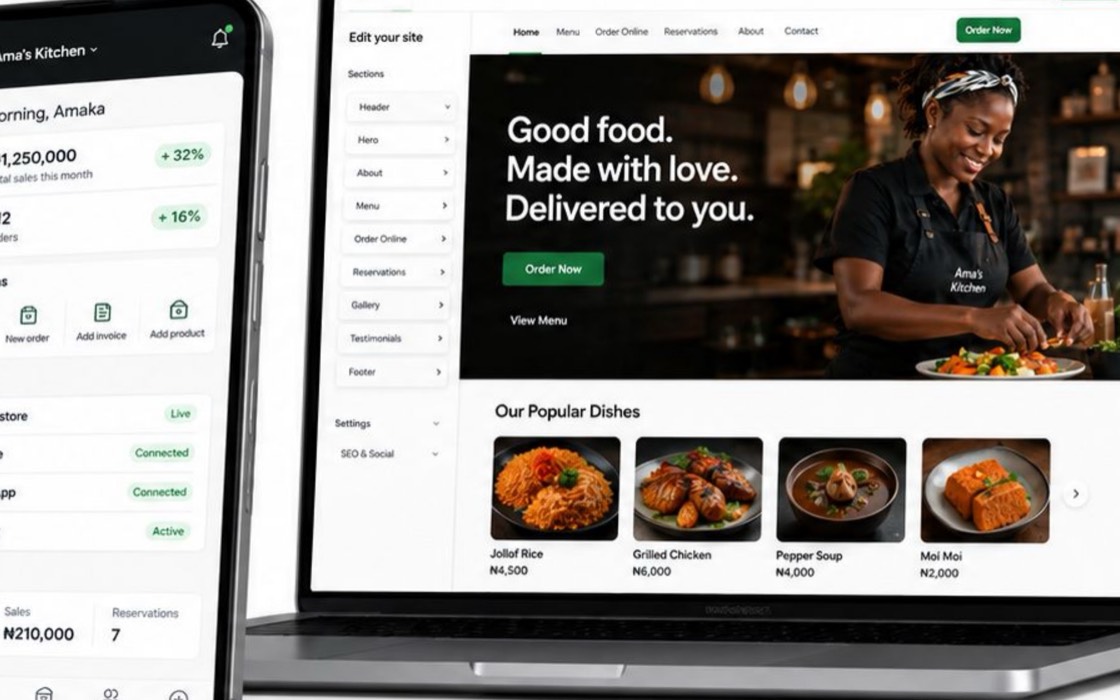 Why institutions choose Box
Keep the brand, records, rails, and merchant relationship.
Why institutions choose Box
Keep the brand, records, rails, and merchant relationship.
Start here
By merchant activity
By deployment
 See it running
OlivePay licensed Box. The tills are already in the field.
See it running
OlivePay licensed Box. The tills are already in the field.
Run Box locally, call the API your deployment exposes, and move the same package set into infrastructure your institution operates.
$ box create acme-commerce
✓ engine
✓ merchant console
✓ website

$ box start acme-commerce 4000 3010
API      http://localhost:4000
Console  http://localhost:3010
Ready in 1.8sThe CLI changes the deployment, the API changes commerce state, and events connect the systems around it.
boxCreate, authenticate, install, run, deploy, inspect, and upgrade.
openapi.jsonUse the contract published by the packages installed in your deployment.
order.paidReact to signed events and connect providers at explicit ports.
Local development is not a separate hosted sandbox. You evaluate the packages, interfaces, and operating boundaries that move into your environment.
Use the CLI to create a deployment, install its packages, and start the engine, console, and website together.
Generate clients from the deployment’s OpenAPI contract and connect surrounding systems through signed events and provider adapters.
Move the same package set into production with your hosts, credentials, network boundaries, and upgrade schedule.
This page explains the operating model. The developer documentation owns quickstarts, API schemas, configuration, and version-specific instructions.